
Flowx: Weather Map Forecast
Flowx Weather AppWeather
4.2838.00 Reviews
- Version
- 4.148
- Installs
- 500.00K
- Age Rating
- Everyone
Screenshots
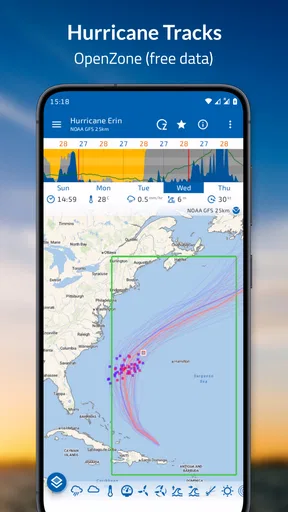
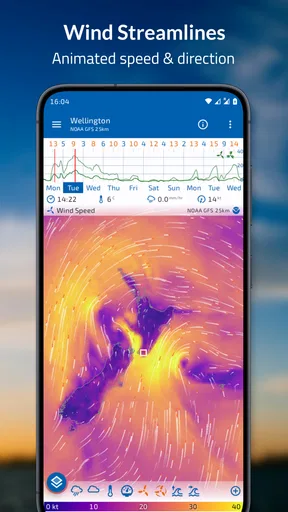
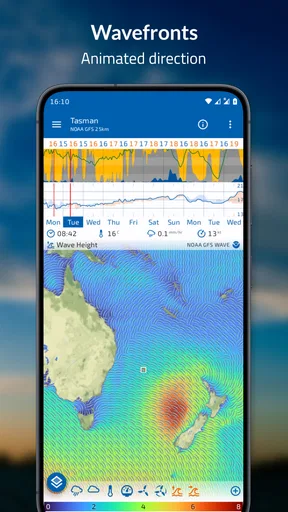
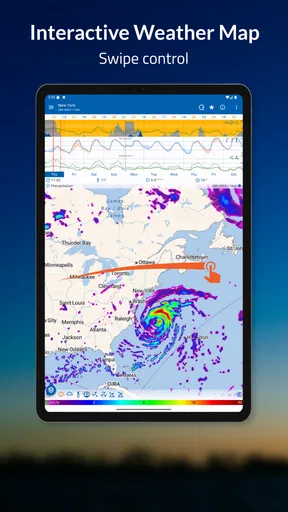
Our Review of Flowx: Weather Map Forecast
 Analysis by Appyee
I approach weather apps as practical tools, but also as places where trust matters: forecasts influence whether I walk, cycle, travel, or change a plan. Flowx: Weather Map Forecast takes a more visual route than the usual screen of temperatures and icons. Its maps and forecast timelines are useful when I want to understand how conditions may change, though that extra detail asks for a little more attention than a simple “rain at three” notification. I see it as a strong option for people who like to inspect the forecast, not necessarily the quickest choice for someone who only wants one number.
What trust looks like in a forecast app
Flowx is a weather app from developer Flowx Weather App. It is free to download, has a 4.2 average from around 7.7 thousand ratings, and has been installed over 500 thousand times. Those figures offer a sense of its audience, but I would not treat popularity as proof that a forecast will be right for every place or situation. Weather models can disagree, and local conditions can shift quickly; I use the app to judge a range of possibilities rather than as a guarantee.
That distinction is especially important when a decision has real consequences. A map can help me notice that rain is moving toward a route, but it cannot replace checking current local alerts or using good judgment when conditions are hazardous. For a routine walk, a broad forecast view may be enough. For a long drive, exposed hike, or severe-weather concern, I would compare the picture with an official warning source before committing.
Useful choices, without guessing about privacy
The app gives users visible choices over how they view weather information: map layers, units, and data sources can be adjusted to suit the task. I value that kind of control because it lets me avoid a cluttered screen and focus on what I actually need. I would not infer privacy or account practices from those display settings, though; choosing a map layer is not the same thing as controlling what information an app handles.
When I evaluate an app that uses a location, I look for the permission prompt on my own device and consider whether the requested access makes sense for the feature I want. I can also check the system’s app-permission settings and change access there if needed. If I prefer not to grant location access, I would first see whether selecting a place manually works for my routine. That simple test is more useful than assuming a permission is mandatory or that a particular privacy control exists.
When the map is worth the extra attention
My most practical use for Flowx is planning around changing conditions rather than checking a single current temperature. Before leaving for a bike ride, for example, I can look at rainfall and wind layers, move through the forecast timeline, and decide whether to start earlier or choose a shorter route. I still check again close to departure, because a forecast several days out is better treated as a planning signal than a promise.
The same visual approach can help with outdoor work, gardening, or deciding when to take a dog for a longer walk. It is particularly useful when the timing and movement of a weather system matter more than a general daily summary. The trade-off is that maps need interpretation: if you are unfamiliar with wind, pressure, or precipitation layers, the added information may feel like homework rather than help. I would begin with just one or two layers and add others only when they answer a specific question.
Visualizing the Weather
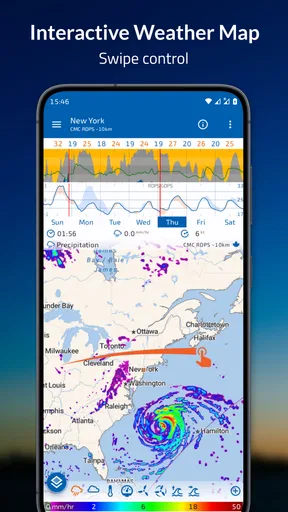
The first thing that strikes you about Flowx is its slick, interactive weather maps. You can literally see the weather patterns unfold in a way that feels almost cinematic. With a simple swipe, you can scroll through a week’s worth of forecasts, watching the animation of clouds, rain, and temperatures dance across the screen. It’s like having your own mini weather center right in your pocket.
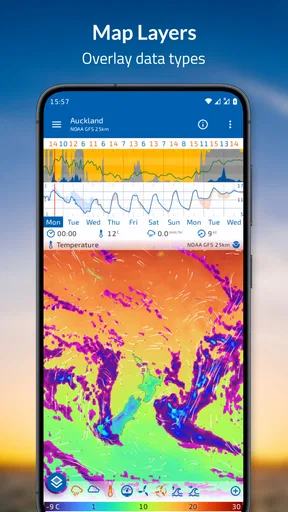
Now, I’ve tried my fair share of weather apps, but the detail and clarity in Flowx’s maps are pretty impressive. The app pulls data from renowned sources like NOAA and Environment Canada, which you can trust for accuracy. Plus, if you're a bit of a weather geek like me, you’ll appreciate the various map layers you can toggle, such as wind speed, pressure, and humidity. It’s a playground for anyone interested in understanding the complexities of weather systems.
Customizing Your Experience
One of the standout features that I love about Flowx is the level of customization it offers. You can tailor the app to suit your needs perfectly. Want to focus on just temperature and rainfall? You can do that. Prefer a dark theme for night-time browsing? It’s in there. You can even customize the data sources and units to match your preferences, which I found super convenient for getting the info I need at a glance.
Flowx also offers a widget for your home screen, giving you a quick look at the weather without even opening the app. It’s particularly handy if you’re rushing out the door and need a quick peek at what’s coming your way.
Navigation and User Experience
In terms of user interface, Flowx is a breeze to navigate. Everything feels intuitive, and the learning curve is minimal, even if you’re not particularly tech-savvy. I found that the app runs smoothly, with no noticeable lags or crashes, which is a huge plus in my book.
However, one thing to note is that some of the more advanced features are locked behind a premium subscription. It’s not a deal-breaker, especially since the free version offers plenty for everyday use, but it’s something to consider if you’re someone who loves diving deep into data.
Choosing it over a simpler forecast
Compared with the familiar weather app that opens on a current temperature, a short daily outlook, and a rain icon, Flowx is built around exploring patterns. I prefer that when I need to decide whether a shower is likely to pass before an errand or whether wind may make a ride unpleasant. The usual alternatives are often easier for a quick glance, especially when I am standing at the door, but they can hide the sequence of changes behind a compact summary. Flowx makes that sequence the point.
There is a useful middle ground between studying every layer and ignoring the map. I would set the display around the few conditions that affect my plans most, then swipe through the forecast before comparing it with the day’s actual sky. If the map looks uncertain or several models suggest different outcomes, I would keep plans flexible rather than treating one view as decisive. That habit makes the visual detail more actionable and less likely to create false confidence.
Small habits that make the detail easier to use
One non-obvious way to get more from the timeline is to check the same location at two different planning horizons. A look well ahead can help me choose a day for an outdoor plan; a closer look can help me pick a departure time. I would not expect the farther-out view to settle fine timing, but noticing whether the overall pattern is becoming wetter, windier, or calmer can still help narrow options.
I also find it helpful to avoid turning on every layer at once. When several kinds of information compete for attention, it becomes harder to answer a basic question such as “Will this route be comfortable?” I would start with rainfall for a picnic or wind for a ride, then add temperature or humidity only if it changes the decision. This keeps the map readable and gives each layer a job instead of making the screen impressive but hard to interpret.
The widget serves a different purpose from the map: it is a quick reminder, not a replacement for checking the forecast in context. I would use it to notice that conditions deserve another look, then open the full view before a time-sensitive outing. That workflow suits people who want a glance most of the day but still appreciate detail when a plan depends on it.
Who will appreciate it—and who may not
I would recommend this app to people who plan around outdoor conditions, enjoy visual information, or want to compare weather variables instead of relying on a single daily label. Hikers, cyclists, gardeners, and anyone coordinating a flexible outdoor schedule can benefit from seeing how a forecast develops across time. It can also be a good fit for curious users who like learning what wind or pressure patterns might mean for their local weather.
On the other hand, I would steer a person toward a simpler forecast app if they mainly want a fast answer with minimal interaction, or if they find maps confusing. Anyone who needs an alert-first experience should make sure the options available on their device meet that need rather than assuming a map-focused interface will behave like a dedicated warning service. And for a high-stakes decision, no single consumer forecast should be the only source I consult.
Compatibility is another practical consideration: the current version is 4.146 and it requires Android 8.0 or later. The app is rated for Everyone, while optional in-app purchases range from $1.99 to $19.99 per item. I would start with the free experience and decide whether the deeper tools matter to my routine before spending anything. That approach keeps the choice grounded in actual use rather than buying features because they sound impressive.
What I would check before relying on it
If you are wondering whether you need to create an account, whether location access is essential, or exactly what information is collected, I would not guess from the forecasting interface. I would read the permission prompts and any privacy details shown in the app or its store page, then decide what you are comfortable enabling. The same goes for notifications: review the controls presented on your device and keep only the access you want. These are sensible checks for any weather app, and they give you a clearer basis for trust than assumptions based on appearance.
For a first session, I would choose a familiar location, set units I understand, and compare the map with what I can observe outside. Then I would return to it before one ordinary plan, such as a commute or a walk, and see whether the timeline helps me make a better decision than a one-line forecast. This low-pressure trial reveals whether I enjoy the map-first approach without making the app responsible for a major choice.
Customizing Your Experience
One of the standout features that I love about Flowx is the level of customization it offers. You can tailor the app to suit your needs perfectly. Want to focus on just temperature and rainfall? You can do that. Prefer a dark theme for night-time browsing? It’s in there. You can even customize the data sources and units to match your preferences, which I found super convenient for getting the info I need at a glance.
Flowx also offers a widget for your home screen, giving you a quick look at the weather without even opening the app. It’s particularly handy if you’re rushing out the door and need a quick peek at what’s coming your way.
Navigation and User Experience
In terms of user interface, Flowx is a breeze to navigate. Everything feels intuitive, and the learning curve is minimal, even if you’re not particularly tech-savvy. I found that the app runs smoothly, with no noticeable lags or crashes, which is a huge plus in my book.
However, one thing to note is that some of the more advanced features are locked behind a premium subscription. It’s not a deal-breaker, especially since the free version offers plenty for everyday use, but it’s something to consider if you’re someone who loves diving deep into data.
A cautious recommendation
Overall, Flowx: Weather Map Forecast is a solid choice if you’re looking for a weather app that combines functionality with a bit of flair. Its visual approach to forecasting is not only informative but also engaging, making it easy to plan your activities around the weather. Whether you’re a casual user or a weather enthusiast, this app has something to offer.
If you’re ready to take the guesswork out of your weather planning, give Flowx a try. You might just find that it’s exactly what you’ve been looking for to keep you one step ahead of Mother Nature.
My recommendation comes with one qualification: it works best when you are willing to interpret a forecast, not simply receive a verdict. If you want a fast, uncluttered answer, another kind of weather app may suit you better. If you like seeing conditions move across a map and adjusting the view to fit a real plan, this is a thoughtful tool to try—while keeping permissions, spending, and important weather decisions firmly in your own hands.
Verdict
Strengths of Flowx: Weather Map Forecast
- Intuitive and interactive map animations.
- Customizable weather data layers.
- Offline functionality for travel.
- Accurate and detailed forecasts.
- Minimalistic and user-friendly design.
Limitations of Flowx: Weather Map Forecast
- Limited free version features.
- Steep learning curve for new users.
- Occasional data sync issues.
- No radar data in some regions.
- Subscription needed for full access.
Similar Picks in This Category
View All
Weather - By Xiaomi
Xiaomi Inc.4.1

Weather & Radar Forecast
WetterOnline4.8

Weather
OneLouder Apps4.6

AccuWeather: Weather Radar
AccuWeather3.6

The Weather Channel - Radar
The Weather Channel4.6

1Weather Forecasts & Radar
OneLouder Apps4.3
Frequently Asked Questions
What features does Flowx: Weather Map Forecast offer?
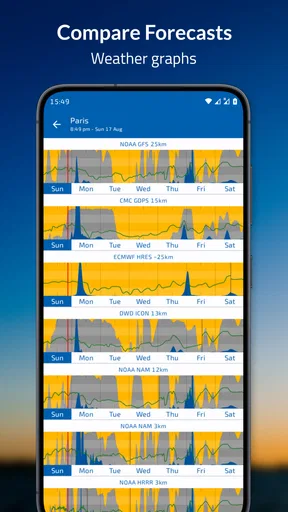
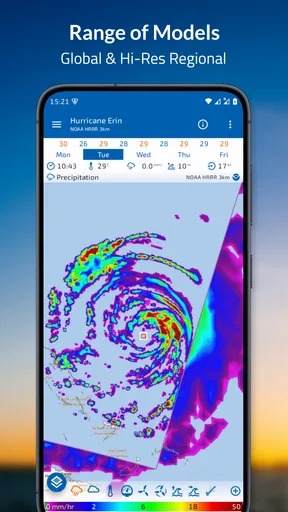
Flowx provides a detailed and interactive weather forecast that includes features like radar, satellite imagery, and various meteorological data models. Users can customize graphs and maps to focus on specific data points, such as wind speed or precipitation levels, allowing for personalized weather tracking and planning.
Is Flowx: Weather Map Forecast available for both Android and iOS?
Flowx is primarily available for Android devices. There is no iOS version currently available, which is important to consider for iPhone users. Android users can download the app via the Google Play Store, where it offers both free and premium versions with additional features.
Does Flowx require an internet connection to work?
Yes, Flowx requires an internet connection to download the latest weather data and maps. However, once the data is downloaded, users can view it offline, making it convenient for use in areas with limited connectivity. Continuous updates ensure accuracy, so regular internet access is beneficial.
What are the advantages of upgrading to the premium version of Flowx?
The premium version of Flowx offers additional features such as access to more weather models, higher resolution maps, and extended forecast periods. It also removes ads, providing an uninterrupted user experience. For weather enthusiasts or those needing detailed forecasts, the premium upgrade is a valuable investment.
How user-friendly is Flowx: Weather Map Forecast for beginners?
Flowx is designed with a user-friendly interface, but it may have a learning curve for beginners unfamiliar with meteorological data. The app provides tutorials and guides to help new users navigate its features. With some exploration, users can effectively utilize its powerful tools to monitor weather conditions.
